




A home office can be more than a place to answer emails. With a thoughtful layout, it can support remote appointments, personal projects, reading, crafting, gaming, and other hobbies without feeling crowded or uncomfortable.
The goal is to create a room or corner that is easy to use, pleasant to spend time in, and flexible enough to serve different purposes. You do not need expensive furniture or a large room. A few practical improvements can make a noticeable difference.
Choose the Right Location
Start by considering where the workspace will fit best. A separate room is helpful, but it is not essential. A quiet corner in a bedroom, living room, or hallway can work well when arranged carefully.
Look for a location with:
– Reliable internet access
– Enough room for a desk and chair
– A nearby power outlet
– Natural or adjustable lighting
– Limited background noise
– A neutral background for video calls
If you often attend remote appointments, privacy may be especially important. Choose a spot away from busy walkways, loud appliances, and areas where other household members regularly gather.
A folding screen, curtain, bookcase, or strategically placed plant can help separate the office from the rest of the room. These options create a clearer boundary without requiring construction.
Select a Desk That Fits Your Routine
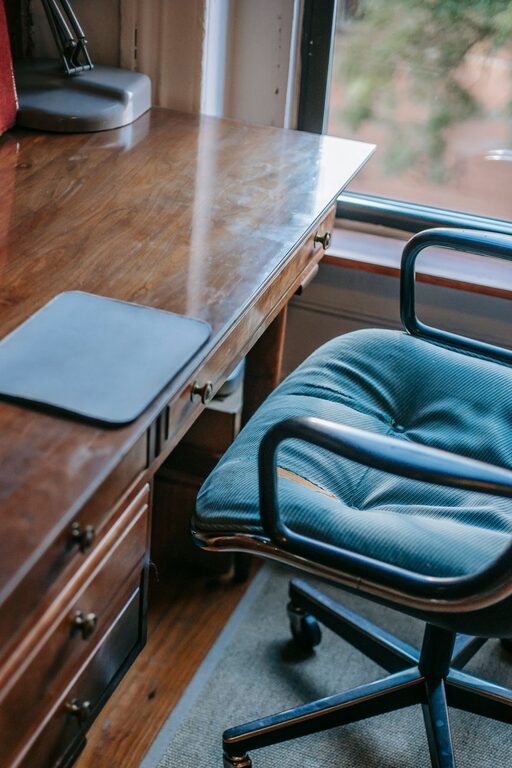
Your desk should match the activities you plan to do. A compact desk may be enough for video calls and writing, while hobbies such as painting, model building, or sewing may require a wider surface.
Before buying or rearranging furniture, measure the available area. Leave enough space to move the chair comfortably and open drawers or cabinets.
Useful desk features include:
– A surface wide enough for your computer and everyday supplies
– Strong construction that does not wobble
– Rounded or finished edges
– Storage for frequently used items
– Space for a lamp, notebook, or hobby tools
– A cable opening or route for keeping wires organized
If you switch between appointments and hobbies, consider a desk with a clear central area. Store project materials in containers that can be moved easily when it is time for a video call.
Prioritize a Comfortable Chair
A chair can make the office feel inviting or difficult to use. Choose one that supports an upright, relaxed sitting position and allows your feet to rest comfortably on the floor.
Look for features such as:
– Adjustable seat height
– A supportive backrest
– A seat with enough width and depth
– Stable wheels or legs
– Easy-to-clean fabric or material
– Armrests that fit beneath the desk
You may also prefer a chair that blends with your home decor rather than looking like traditional office furniture. The most important qualities are comfort, stability, and a good fit with your desk.
Try to avoid using a dining chair for long sessions unless it feels comfortable and provides enough support. If your current chair is usable but firm, a simple seat cushion may improve it.
Plan Lighting for Different Activities
Good lighting helps the office feel comfortable and makes it easier to focus on detailed hobbies. Place the desk near a window if possible, but avoid positioning the screen directly in front of or behind bright sunlight. Glare can make the display harder to see and create harsh shadows on your face during video calls.
A flexible lighting setup may include:
– Natural light during the day
– A desk lamp for reading and detailed projects
– Soft room lighting for evening use
– An adjustable light near a camera for remote appointments
Choose bulbs with a comfortable brightness and a color that suits the room. A lamp with adjustable settings can be useful when the same space needs to support both focused work and relaxing hobbies.
Create a Simple Video Call Background
Remote appointments usually work best when the background is tidy and not distracting. It does not need to look formal or empty. A clean wall, small shelf, framed artwork, or plant can create a pleasant setting.
Keep these points in mind:
– Place the camera near eye level
– Face a window or soft light when possible
– Keep the camera lens clean
– Test what appears behind you
– Remove personal items you do not want visible
– Use headphones if background noise is a concern
A laptop stand or small riser can help position the camera at a more natural height. If your computer remains on the desk for hobbies, choose equipment that can be moved quickly when needed.
Organize Technology and Cables
Cables can make a small workspace look untidy and may get in the way of hobby materials. Group cords by purpose and label them if several devices use similar cables.
Try the following organization methods:
– Use clips to guide cables along the back of the desk
– Place a power strip under or beside the desk
– Keep chargers in a small basket
– Store rarely used cables in labeled pouches
– Use a docking station for frequently connected devices
– Leave extra cable length so equipment can be moved safely
Keep power cords away from areas where they may be pulled or stepped on. Do not overload outlets, and replace damaged cables instead of continuing to use them.
Build Flexible Hobby Storage
Hobby supplies are easier to use when they are visible, sorted, and within reach. However, leaving everything on the desk can reduce the space available for appointments or other tasks.
Use storage that fits the type and size of your materials:
– Clear containers for small items
– Shallow trays for tools used every day
– File holders for paper and patterns
– Drawers for supplies that need protection
– Shelves for books and display pieces
– Rolling carts for projects that move between rooms
Group supplies by activity rather than placing everything in one large container. For example, keep drawing tools together and repair materials in a separate box. This makes setup and cleanup faster.
A simple “active project” box can hold the materials for a hobby you are currently enjoying. When an appointment is scheduled, the entire project can be moved off the desk in one step.
Add Comfort Without Creating Clutter
Small details can make the room more enjoyable. Add a rug, artwork, plant, or favorite color through accessories rather than filling every surface.
Keep a few useful items nearby:
– A water bottle
– A notebook and pen
– Hand lotion or other personal items
– A small wastebasket
– A timer or clock
– A storage tray for daily essentials
Avoid placing too many decorations near the camera, keyboard, or work area. The best office setup balances personality with open space.
Establish a Quick Reset Routine
A short reset routine helps the office stay ready for both appointments and hobbies. At the end of each session, return tools to their containers, clear the main desk area, and check that essential equipment is charged.
A five-minute reset might include:
- Save or pack away the current project.
- Put loose supplies into their proper containers.
- Wipe the desk surface.
- Return the chair and adjust the camera if needed.
- Check the next appointment or planned activity.
- Turn off lights and devices that are not needed.
This routine prevents small amounts of clutter from becoming a larger problem.
Make the Space Your Own
A comfortable home office should support the way you actually live. Start with the essentials, test the arrangement for a week, and make small adjustments based on what feels inconvenient.
You might discover that the lamp needs to move, hobby storage belongs on a rolling cart, or the desk works better at a different angle. Flexibility is more useful than creating a perfect setup immediately.
With a suitable location, comfortable furniture, practical lighting, organized storage, and a simple reset habit, one home office can serve many purposes. It can be a reliable place for remote appointments while still leaving room for creativity, relaxation, and hobbies.